
M3 Glass
M3 Glass: lens distortion, falloff and fringing, in a node
An OpenFX effect for DaVinci Resolve. Pick one of five lenses and it sets distortion, vignette, color cast, aberration and edge softness together.
- Five lenses: Clean, Classic, Vintage, Swirl and Wide Open.
- Five effects you can dial from 0 to 2: distortion, vignette, color cast, aberration, edge softness.
- A Sensor setting for Full Frame, Super 35 or Super 16.
Price
$19 once
Mac and Windows. The download email has both installers.
Buy for $19 →Secure checkout by Stripe.
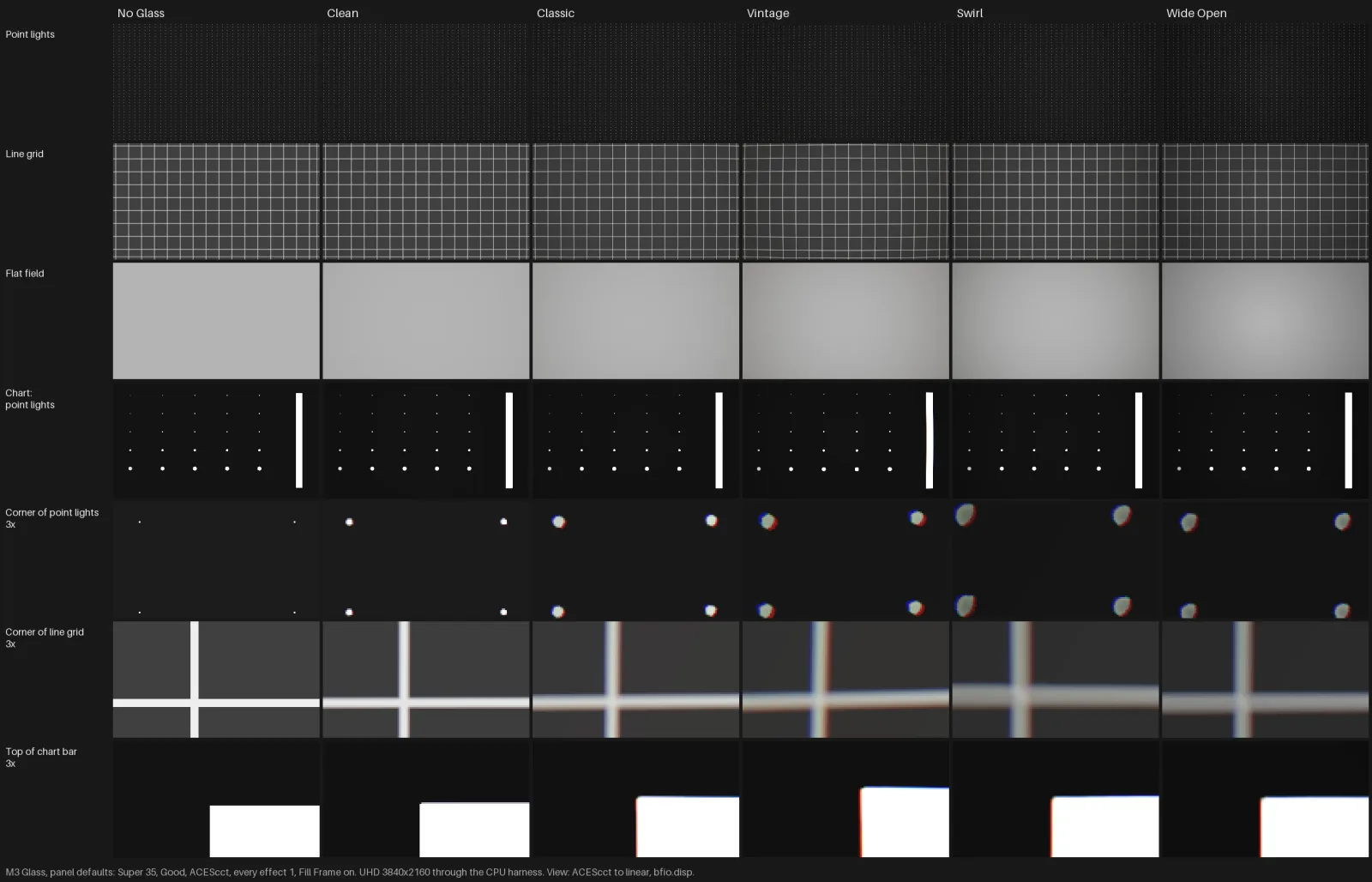
What does M3 Glass fix?
-
Footage that's sharp and even to the corners.
Real glass softens and fringes toward the edge.
How M3 Glass handles itEdge Softness blurs the edges while the center stays sharp.
-
Straight lines that never bend.
Every lens bends them a little.
How M3 Glass handles itDistortion bends lines toward the edges, and Fill Frame stops black corners.
-
Corners that never fall off.
Even corners read digital.
How M3 Glass handles itVignette darkens the corners and Color Cast tints them as they fall off.
Questions people ask
How do I add lens distortion in DaVinci Resolve?
Put M3 Glass on a node ahead of your grade and pick a lens. Vintage bends straight lines the most. Distortion runs from 0 to 2.
Where does M3 Glass add chromatic aberration?
M3 Glass's Aberration control fringes red outward and blue inward toward the edges, with nothing at the center. It comes set by the lens you pick.
Does M3 Glass work on Windows?
Yes. The download email has a Windows link next to the Mac one. The Windows version is new, so write to info@monolith3.studio if anything looks off.
Is M3 Glass affiliated with Blackmagic Design?
No. DaVinci Resolve is a trademark of Blackmagic Design. M3 Glass is an independent effect from Monolith3, and Blackmagic doesn't make or endorse it.